Entering Data
To begin working in Municipal, you must first input data into the Input Schedule. To do this you may import data, copy and paste data, or manually type in data.
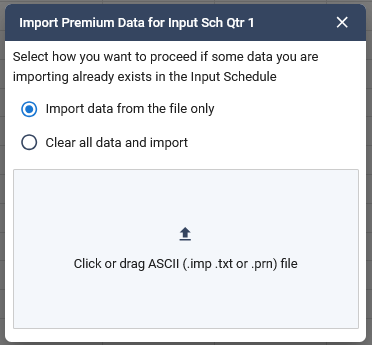
1. Importing Data: To import right click on the input schedule and select import premium data, then it brings up a dialogue box
Two options:
- Import data without clearing out any existing information
- It will clear all existing data and then import your file
2. Copy and Paste: To copy and paste data from an excel document, you can mass-select your data in Excel and copy, then paste into the Input Schedule.
3. Manual Entry: Type into a particular jurisdiction row.
4. Entering data into a jurisdiction will activate that jurisdiction in the tree on the left.
Was this helpful?